7CHATS · LIVE DEMOS
Manage Reports
Upload a CSV report for a local data-quality overview. Review completeness, duplicates and numeric fields before reconciling.
—
INFORMATION COVERAGEReady to review
Coverage measures available information, not performance or investment quality.
REVIEW STATUS0 indicators reviewed
Your results will appear here.
NEXT STEPStart with your details
Your 10-indicator dashboard
Enter information above to begin.
INDICATOR 01
Rows
Awaiting information
Not assessed
Details
Enter information above to begin.
INDICATOR 02
Columns
Awaiting information
Not assessed
Details
Enter information above to begin.
INDICATOR 03
Filled cells
Awaiting information
Not assessed
Details
Enter information above to begin.
INDICATOR 04
Missing cells
Awaiting information
Not assessed
Details
Enter information above to begin.
INDICATOR 05
Completeness
Awaiting information
Not assessed
Details
Enter information above to begin.
INDICATOR 06
Duplicate rows
Awaiting information
Not assessed
Details
Enter information above to begin.
INDICATOR 07
Unique rows
Awaiting information
Not assessed
Details
Enter information above to begin.
INDICATOR 08
Numeric fields
Awaiting information
Not assessed
Details
Enter information above to begin.
INDICATOR 09
Selected total
Awaiting information
Not assessed
Details
Enter information above to begin.
INDICATOR 10
Selected average
Awaiting information
Not assessed
Details
Enter information above to begin.
CSV analysis runs in your browser. This preview does not connect to accounting systems or certify reconciliation.
Turn a CSV export into a report you can reconcile
Start with a copy of one sales or invoice export. Check its grain first. One order can occupy several rows when each row represents a line item. The dashboard’s row count and unique-row count help you decide what to total before you share a sales figure.
Why two identical amounts can both belong
Two invoices for $95 can be valid. Match the invoice numbers, dates and vendors before flagging a duplicate. Compare the selected column total with the control total on the original statement, then investigate the difference.

Use the first 20 checks for free
Open items 21–120 in All Access
See expanded dashboard · 100 additional checks
Choose a topic to see ten checks for your Manage Reports review.
Import structure
- Header row position
- Delimiter choice
- Quoted delimiters
- Escaped quotes
- Text encoding
- Byte order mark
- Embedded newlines
- Trailing separators
- Blank opening rows
- Unexpected footer rows
Record grain
- One row per transaction
- One row per line item
- Summary rows mixed in
- Repeated order IDs
- Composite key fields
- Missing key components
- Line numbering
- Versioned records
- Reversals and credits
- Source row identifiers
Column definitions
- Repeated column names
- Leading spaces in headers
- Unnamed fields
- Mixed measurement units
- Currency field
- Date convention
- Code dictionary
- Boolean conventions
- Calculated fields
- Deprecated columns
Missing values
- Required key blanks
- Optional field blanks
- Zero versus missing
- Whitespace-only cells
- Placeholder dashes
- Null text literals
- Missing by department
- Missing by period
- Consecutive missing rows
- Missing numeric denominators
Duplicates
- Exact record duplicates
- Repeat invoice numbers
- Case-only differences
- Whitespace variants
- Repeat vendor aliases
- Legitimate installments
- Recurring payments
- Offsetting credit pairs
- Duplicate import batches
- Surviving source record
Numeric quality
- Thousands separators
- Decimal marks
- Parentheses for negatives
- Currency symbols
- Percent scaling
- Numeric IDs as text
- Leading zeros
- Unexpected sign
- Precision drift
- Extreme quantities
Date quality
- Invalid calendar dates
- Year missing
- Future invoice dates
- Start after end
- Time zone basis
- Leap-day handling
- Partial month coverage
- Overlapping periods
- Posting lag
- Weekend posting pattern
Reconciliation
- Gross total
- Net total
- Tax subtotal
- Freight subtotal
- Discount subtotal
- Count by currency
- Group subtotals
- Source control total
- Rounding difference
- Opening-to-closing balance
Aggregation
- Weighted average price
- Median order size
- Minimum quantity
- Maximum quantity
- Distinct customers
- Count by business unit
- Share of total
- Return rate
- Period-over-period change
- Outlier contribution
Report release
- Extract timestamp
- Source system
- Reporting cutoff
- Filter description
- Excluded records
- Correction log
- Reviewer ownership
- Version identifier
- Exported header order
- Reproduction notes
How it works, resources & support
7 Chats Launches "Manage Reports" A Powerful Platform for Managing Company Data, Customers, and Financial Reconciliation
In today's data-driven business environment, companies generate massive amounts of operational and financial information every month. From partner commissions and customer portfolios to revenue reporting and payment reconciliation, managing this data accurately can quickly become overwhelming. To solve this challenge, software company 7 Chats has introduced its newest platform: Manage Reports a powerful reporting and data management system designed to help businesses organize, analyze, and reconcile their company data in one centralized dashboard.

A Smarter Way to Manage Company Reports
Manage Reports was built to give businesses a clear, structured view of their operational and financial data. Instead of relying on spreadsheets, disconnected software tools, or manual calculations, companies can use the platform to track customers, partners, payments, and reports in one streamlined system.
The platform is especially useful for organizations that work with resellers, partners, agents, or affiliates, where revenue and commissions must be tracked and reconciled regularly.
With Manage Reports, businesses can easily determine:
- Which accounts have been paid
- Which accounts still owe payments
- Monthly commission reconciliation
- Customer portfolio performance
- Partner or reseller revenue breakdowns
- Historical payment records and trends
By organizing this data in a single reporting environment, companies can significantly reduce errors, improve financial transparency, and gain better insight into their operations.
Powerful Reporting Dashboard
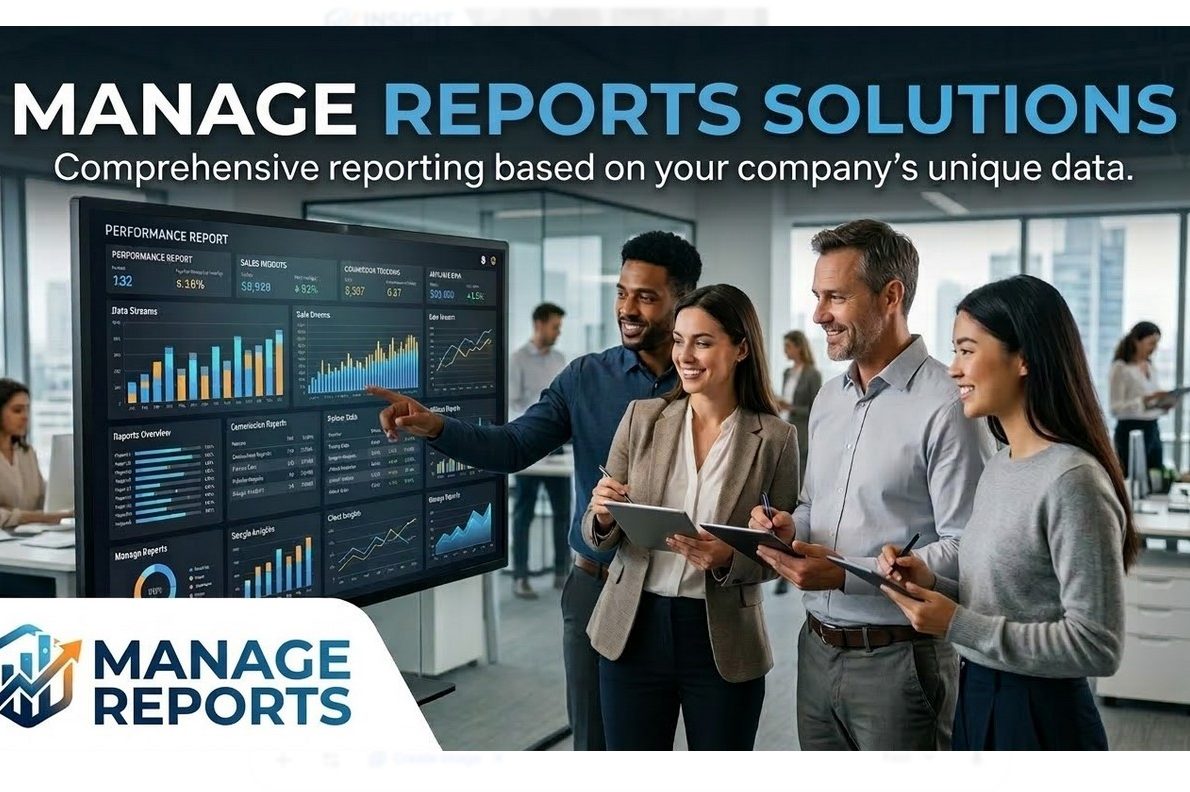
At the center of the platform is the Manage Reports Dashboard, which provides a comprehensive overview of company performance and activity.
Key features of the dashboard include:
Customer Portfolio Management
Track and organize all customers in one system, including account status, activity, and revenue contribution.
Partner & Reseller Tracking
Monitor accounts associated with agents, partners, or resellers to ensure accurate reporting and payment reconciliation.
Payment Reconciliation Tools
Automatically compare expected payments with received payments to identify discrepancies and unpaid accounts.
Monthly and Historical Reporting
Generate reports that analyze company performance across months, quarters, or years.
Data Visualization and Statistics
View key metrics through charts, graphs, and performance indicators that highlight trends and financial insights.
Custom Report Generation
Create detailed company reports that can be used internally for management or externally for investors, partners, and stakeholders.
Built for Data-Driven Businesses
Companies that manage large portfolios of customers or complex partner relationships often struggle to keep reporting organized. Manage Reports solves this by turning raw business data into meaningful insights.
Businesses can quickly answer important questions such as:
- How much revenue was generated this month?
- Which partners produced the most accounts?
- Which accounts have been paid versus those still outstanding?
- What does the overall customer portfolio look like?
- How is the business performing compared to previous months?
By transforming operational data into actionable reports, the platform helps leadership teams make better decisions and manage growth more effectively.
Simplifying Financial Reconciliation
One of the most powerful features of Manage Reports is its ability to simplify financial reconciliation processes.
For businesses that receive payments across multiple accounts, customers, or partners, the platform allows teams to quickly reconcile incoming payments against expected revenue. This ensures that no accounts are overlooked and that all financial records remain accurate and transparent.
Instead of spending hours manually reviewing spreadsheets, businesses can use automated reporting tools to instantly see where payments stand.
A Central Hub for Company Intelligence
Beyond reporting and reconciliation, Manage Reports serves as a central intelligence hub for company operations. It provides leadership teams with real-time visibility into customer activity, revenue performance, and partner contributions.
This centralized approach to data management helps companies operate more efficiently while maintaining clear financial oversight.
Get Started with 7 Chats
As businesses continue to grow and manage larger volumes of data, having the right reporting infrastructure becomes essential. Manage Reports by 7 Chats gives organizations the tools they need to organize their data, track customers, reconcile payments, and generate powerful business reports from a single platform.
If your company is looking for a smarter way to manage customer data, reconcile payments, and generate professional reports, contact 7 Chats today.
Let the experts at 7 Chats help you turn your company's data into actionable insights and powerful reporting tools that support smarter business decisions.
A Smarter Way to Manage Company Reports
Manage Reports was built to give businesses a clear, structured view of their operational and financial data. Instead of relying on spreadsheets, disconnected software tools, or manual calculations, companies can use the platform to track customers, partners, payments, and reports in one streamlined system.
The platform is especially useful for organizations that work with resellers, partners, agents, or affiliates, where revenue and commissions must be tracked and reconciled regularly.
With Manage Reports, businesses can easily determine:
-
Which accounts have been paid
-
Which accounts still owe payments
-
Monthly commission reconciliation
-
Customer portfolio performance
-
Partner or reseller revenue breakdowns
-
Historical payment records and trends
By organizing this data in a single reporting environment, companies can significantly reduce errors, improve financial transparency, and gain better insight into their operations.
Powerful Reporting Dashboard
At the center of the platform is the Manage Reports Dashboard, which provides a comprehensive overview of company performance and activity.
Key features of the dashboard include:
Customer Portfolio Management
Track and organize all customers in one system, including account status, activity, and revenue contribution.
Partner & Reseller Tracking
Monitor accounts associated with agents, partners, or resellers to ensure accurate reporting and payment reconciliation.
Payment Reconciliation Tools
Automatically compare expected payments with received payments to identify discrepancies and unpaid accounts.
Monthly and Historical Reporting
Generate reports that analyze company performance across months, quarters, or years.
Data Visualization and Statistics
View key metrics through charts, graphs, and performance indicators that highlight trends and financial insights.
Custom Report Generation
Create detailed company reports that can be used internally for management or externally for investors, partners, and stakeholders.
Built for Data-Driven Businesses
Companies that manage large portfolios of customers or complex partner relationships often struggle to keep reporting organized. Manage Reports solves this by turning raw business data into meaningful insights.
Businesses can quickly answer important questions such as:
-
How much revenue was generated this month?
-
Which partners produced the most accounts?
-
Which accounts have been paid versus those still outstanding?
-
What does the overall customer portfolio look like?
-
How is the business performing compared to previous months?
By transforming operational data into actionable reports, the platform helps leadership teams make better decisions and manage growth more effectively.
Simplifying Financial Reconciliation
One of the most powerful features of Manage Reports is its ability to simplify financial reconciliation processes.
For businesses that receive payments across multiple accounts, customers, or partners, the platform allows teams to quickly reconcile incoming payments against expected revenue. This ensures that no accounts are overlooked and that all financial records remain accurate and transparent.
Instead of spending hours manually reviewing spreadsheets, businesses can use automated reporting tools to instantly see where payments stand.
A Central Hub for Company Intelligence
Beyond reporting and reconciliation, Manage Reports serves as a central intelligence hub for company operations. It provides leadership teams with real-time visibility into customer activity, revenue performance, and partner contributions.
This centralized approach to data management helps companies operate more efficiently while maintaining clear financial oversight.
Get Started with 7 Chats
As businesses continue to grow and manage larger volumes of data, having the right reporting infrastructure becomes essential. Manage Reports by 7 Chats gives organizations the tools they need to organize their data, track customers, reconcile payments, and generate powerful business reports from a single platform.
If your company is looking for a smarter way to manage customer data, reconcile payments, and generate professional reports, contact 7 Chats today.
Let the experts at 7 Chats help you turn your company’s data into actionable insights and powerful reporting tools that support smarter business decisions.

