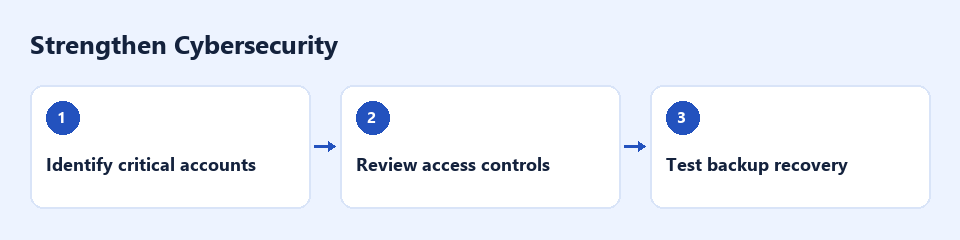
Unclear ownership and inconsistent security practices can leave customer and business data exposed.

Signs to look for
Shared accounts, missing multifactor authentication and backups nobody has tested.
What a review can assess
Public security and contact information plus authorized reviews of account protections, update practices and backup records.
Practical changes to consider
Assign owners, enable multifactor authentication and schedule a restore test.
Turn security tasks into owned routines
Useful safeguards depend on people knowing who is responsible for access, updates and recovery. A public website review can flag visible issues, but it cannot establish that internal systems or accounts are secure.
Set the boundaries of the review
Agree the systems, information and checks you authorise before any deeper work. An initial discussion can cover account ownership, offboarding, backup records and the process for reporting suspicious activity. Intrusive testing requires a separate authorised scope.
Prioritise practical follow-up
Projects may include access-review reminders, documented onboarding and offboarding steps, and a record of backup checks owned by your IT team. Use the responsible specialist to assess technical changes and validate recovery procedures. AI-generated guidance should not replace that review.
Maintain visibility over time
Monthly support can track open actions, overdue reviews and changes in ownership. Agree escalation routes and the evidence needed to close each task. A review is not a security certification or a guarantee against incidents.

Discuss a monthly service
Discuss recurring access reviews and security follow-up with the responsible IT team.

